


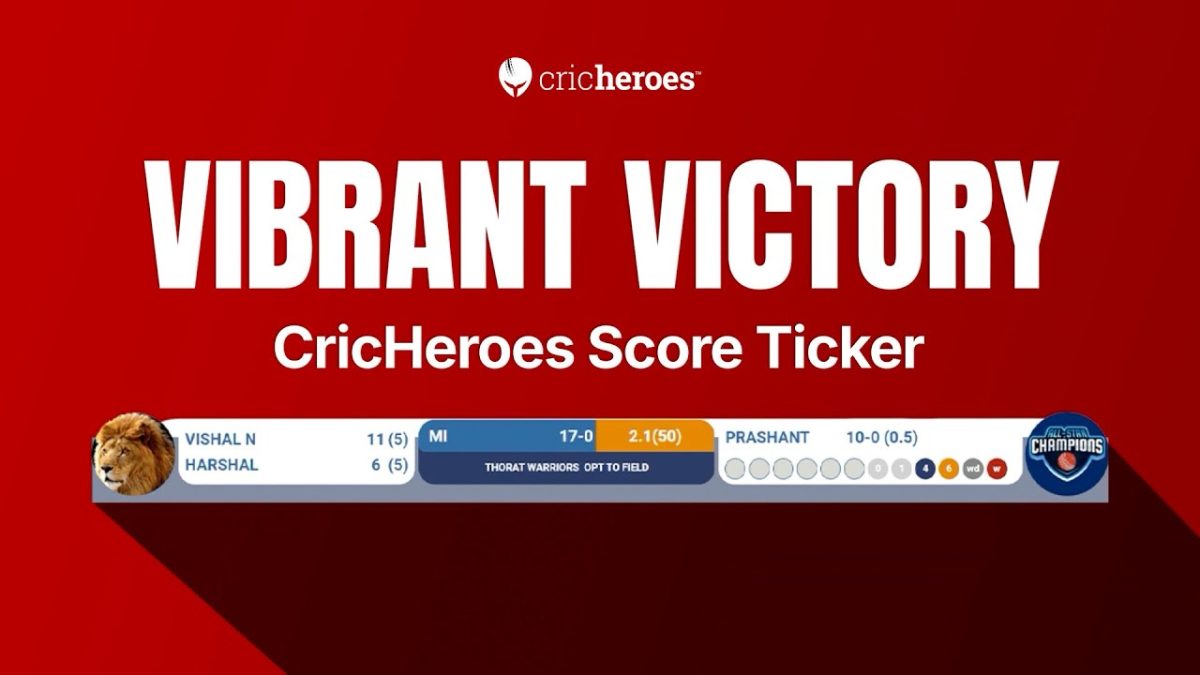
A live stream can look sharp, but viewers still leave if the score is hard to follow. That is why a cricket scoreboard overlay matters. In 2026, even local leagues and academy games are streamed like mini broadcasts. Fans expect clean graphics, quick updates, and a layout that feels familiar.
If you are choosing a tool or a cricket scoreboard overlay template, the goal is simple. Make the match easy to watch. This guide breaks down the features that actually help, from themes and animations to live data sync with CricHeroes.
Quick answer: what should a cricket scoreboard overlay include?
A good cricket scoreboard overlay should show score, wickets, overs, and the current batters clearly, with fast updates and readable design on mobile. It should offer a few themes, light animations for key moments, and easy setup for different match formats. If it can sync with CricHeroes, accuracy improves and manual mistakes drop.
Themes: how many you need and what actually matters
Themes are not about looking fancy. Themes are about readability in different lighting and camera conditions. A day match on a dusty ground and a night match under floodlights need different contrast choices.
A strong theme set gives you options without forcing you to redesign every match.
-
At least 3 to 5 clean themes for different backgrounds
-
Dark and light variants for day and night matches
-
High-contrast text that stays readable on phones
-
Space for team logos without shrinking the score
-
Custom colors that do not break visibility
Themes are only useful when they stay consistent across the whole overlay. If one panel looks different from another, the stream feels patched together.
Customization: what you should be able to change fast
Customization is where most overlays win or lose. On match day, you do not want to fight settings. You want quick edits that do not break layout.
Look for customization that is practical, not endless.
-
Team names, short codes, and logos
-
Font size controls with safe limits
-
Background opacity and panel spacing
-
Sponsor strip placement
-
Match format toggles (T20, ODI, longer formats)
The best cricket scoreboard overlay template lets you change these in minutes, then saves them as presets for future matches.
Animations: keep them light and event-based
Animations can make overlays feel professional, but only when used with control. Too much motion looks noisy, and it can cause stutter on weak connections.
Think of animations as punctuation. Use them on moments that matter.
-
Boundary animation that lasts under 2 seconds
-
Wicket animation that is clear, not flashy
-
Fade transitions for stat changes
-
A clean over-end update panel
When animations are subtle, they feel closer to TV coverage. When they are loud, they pull attention away from the cricket.
Live data and accuracy: the feature viewers trust most
Design gets clicks, but accuracy keeps viewers. If the score is late or wrong, people stop trusting the stream.
This is where live scoring integration matters, especially with CricHeroes.
-
Auto-updating score, overs, and wickets
-
Batter and bowler stats synced to the live scorer
-
Partnership and run rate updates without manual typing
-
Match info that stays consistent across innings
If your overlay can pull data from CricHeroes, you cut down the biggest risk in local streaming. Human error during fast overs.
Format support: T20, ODI, and long games need different priorities
A cricket scoreboard overlay should not treat every match the same. In T20, viewers track run rate and balls remaining. In ODI, the innings pace and wickets in hand matter more. In longer formats, partnerships and session feel matter.
Your overlay should switch context quickly.
-
T20 view with balls remaining and required rate
-
ODI view with overs, RR, and target context
-
Longer format view with partnership focus
-
Super over support if your tournament uses it
Format support is not a bonus feature anymore. It is basic match clarity.
Layout options: bottom bar, corner box, and mobile-first views
One layout does not fit every camera setup. A single phone on a tripod needs different overlay placement than a two-camera rig.
A strong tool offers layout choices that still feel consistent.
-
Bottom-bar layout for broadcast-style viewing
-
Corner box layout to protect the pitch view
-
Stacked layout for vertical streams
-
Safe margins so graphics do not get cropped
After you choose a layout, test it during live play. The overlay should never cover the batter’s stance, popping crease, or the bowler’s release area.
Readability features: the small details that decide watch time
Readability is the most underrated part of a cricket score overlay. Many overlays look good on a laptop preview, then fail on a phone.
These features protect readability.
-
Large score numbers with clear spacing
-
Strong contrast between text and background
-
Overs shown as overs and balls (like 14.3)
-
Consistent abbreviations for teams and players
-
Optional outline or shadow for text in bright sun
If the overlay is readable on a cheap phone in daylight, it will work for almost everyone.
Performance and stability: do not ignore this
A feature-rich overlay that crashes is worse than a simple one that works every ball. Local grounds often have unstable networks, and many streamers run on mid-range laptops.
Look for stability-first features.
-
Lightweight graphics that do not spike CPU usage
-
Simple animation toggles for low bandwidth days
-
Fast recovery if the stream drops
-
Score caching so it reconnects cleanly
Stable overlays make your stream look more professional than extra effects ever will.
Sponsorship and branding: clean placement without clutter
Sponsors fund many local streams. The overlay should support branding without turning into a billboard.
A good overlay handles sponsor placement with rules.
-
A small sponsor strip that does not block score
-
Rotation support for multiple sponsors
-
Logo sizing that stays consistent
-
Optional “presented by” panel at innings start
When branding is tidy, it feels like a real production. When it is messy, it feels like pop-ups.
Setup flow: the best feature is speed on match day
Here is the truth. Most streaming problems happen five minutes before the toss. That is why setup speed is a real feature.
You want a setup flow that reduces steps.
-
Match creation in under 2 minutes
-
Team selection and player list import
-
One-click theme and layout presets
-
Quick toggle for target, DLS notes, or revised overs
Tools that work well with CricHeroes often save time because team and player details are already organized.
Secondary keywords and fan-style queries to cover in your content
When people search for overlays, they use simple language and real match problems. These terms help you match those searches naturally.
-
cricket scoreboard overlay template for YouTube live
-
cricket score overlay for mobile streaming
-
live cricket overlay with player stats
-
CricHeroes live score overlay setup
-
best overlay for local cricket tournament
-
how to show run rate on stream
-
overlay for T20 required rate and target
-
scoreboard overlay for box cricket
-
cricket live stream graphics for Facebook
-
how to add team logos to overlay
These are the kinds of queries that show up in fan discussions and streamer communities because they are task-based.
Feature checklist table you can use before you buy or subscribe
This table helps you compare options quickly, especially if you are choosing between plans or tools.
| Feature | Must-have for most streams | Nice to have | Why it matters |
|---|---|---|---|
| Clear score, wickets, overs | Yes | No | Core match clarity |
| Mobile-readable fonts | Yes | No | Most viewers watch on phones |
| Theme options | Yes | No | Handles day vs night visibility |
| Light event animations | Yes | Yes | Adds polish without lag |
| CricHeroes integration | Yes | Yes | Fewer errors, higher trust |
| Format support (T20, ODI) | Yes | No | Prevents confusion |
| Layout options | Yes | Yes | Fits camera angles and platforms |
| Sponsor strip | Depends | Yes | Helps tournament funding |
| Low CPU mode | Yes | Yes | Stability on weak setups |
| Presets and quick setup | Yes | Yes | Saves match-day stress |
Use this as a shortlisting tool. If an overlay fails the must-have column, skip it.
FAQs about cricket scoreboard overlays
What is a cricket scoreboard overlay?
A cricket scoreboard overlay is an on-screen graphic that shows score, wickets, overs, and match details on a live stream.
What should a cricket scoreboard overlay template include?
A cricket scoreboard overlay template should include clear score and overs, team names, player stats panels, and layout options that fit mobile screens.
Do themes really matter in cricket overlays?
Yes. Themes matter because daylight, dust, and floodlights change contrast, and readability drops fast when colors are wrong.
How many animations should I use in a cricket score overlay?
Use a few event-based animations only, like boundaries and wickets, because constant motion distracts viewers and can cause lag.
Can CricHeroes connect to a cricket score overlay?
Yes. CricHeroes can be used with compatible overlays so scores and player stats update in real time with fewer manual mistakes.
Which layout looks most professional for YouTube live cricket?
A bottom-bar layout looks most professional because it matches broadcast viewing habits and keeps the field visible.
Will overlays slow down my stream?
They can if animations and graphics are heavy, but lightweight overlays usually run smoothly on mid-range devices.
What is the biggest mistake people make with overlays?
The biggest mistake is poor readability, like small fonts or low contrast, which makes viewers leave even if the match is good.
Do overlays help local tournaments grow?
Yes. Clean overlays improve trust, keep viewers watching longer, and make highlights look more shareable.
Is a cricket scoreboard overlay template enough, or do I need live scoring sync?
A template is enough for basic streams, but live scoring sync is better for accuracy, especially in fast T20 overs.
Key takeaways and next steps
If you want your stream to feel professional, start with clarity. A cricket scoreboard overlay should be readable on phones, update quickly, and stay out of the action area. Themes matter when lighting changes. Animations should be light and event-based. Live data sync, especially with CricHeroes, is the fastest way to build trust.
Next steps are simple. Pick one layout, test it during a real over, then lock presets for your league. Once your base is stable, add a sponsor strip and a wicket animation. Keep it clean, and your stream will look like it belongs.
CricHeroes