
A Dyson vacuum is a powerful tool, but even the most advanced models rely heavily on their battery. The Dyson V7 battery is known for strong suction and decent runtime, yet many users face shorter cleaning sessions than expected. Over time, improper usage, charging habits, or storage can degrade battery life. This guide provides practical steps to maximize your Dyson battery, keep your vacuum performing at its best, and ensure longer cleaning sessions.
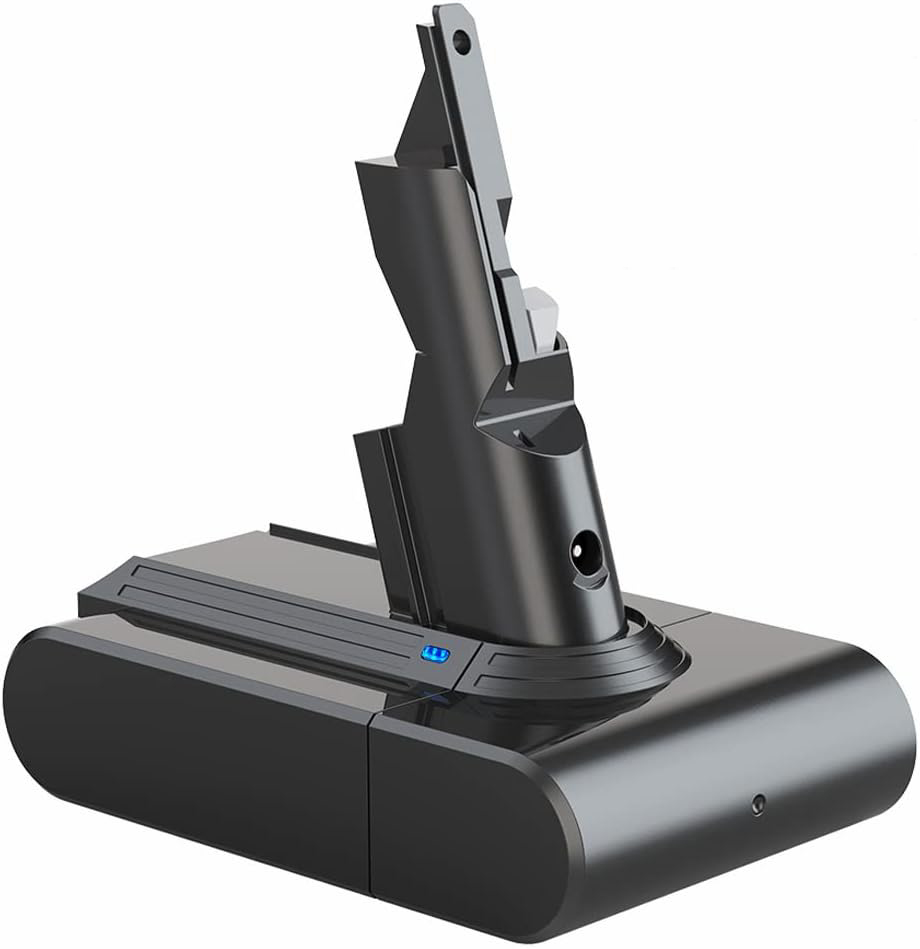
Understanding Your Dyson V7 Battery
The Dyson V7 battery is a high-performance lithium-ion unit designed to power the vacuum for up to 30 minutes on standard mode. High-power modes and attachments can reduce runtime significantly. Over time, lithium-ion batteries naturally lose capacity, which makes understanding proper care essential.
Key facts about the Dyson V7 battery:
- Type: Lithium-ion
- Voltage: 21.6V
- Typical runtime: 20–30 minutes
- Expected lifespan: 2–3 years with proper care
Common Battery Problems
- Reduced Runtime
If your vacuum runs for only 10–15 minutes instead of 30, it’s a sign the battery is aging or being stressed by frequent high-power usage. - Vacuum Won’t Charge
Issues with charging can stem from dirty contacts, damaged cables, or the battery reaching the end of its lifespan. - Overheating During Use or Charging
Overheating reduces battery efficiency and can permanently damage the cells. - Intermittent Power
The vacuum may start and stop unexpectedly, indicating poor battery connection or worn-out cells.
Practical Tips to Extend Your Dyson V7 Battery Life
- Charge Correctly
Always use the original Dyson charger. Avoid overcharging by unplugging once the battery is full. Lithium-ion batteries do not need to be fully discharged before charging, but keeping them above 20% charge helps prolong life. - Avoid Frequent High-Power Mode Use
While the high-power setting delivers maximum suction, it consumes more battery. Reserve this mode for tough tasks and use standard mode for routine cleaning. - Store Properly
Keep your vacuum and battery in a cool, dry place. Extreme temperatures, both hot and cold, can reduce battery performance. Never leave the battery in direct sunlight or near heat sources. - Keep the Battery and Contacts Clean
Dust, dirt, or debris on the battery contacts can prevent proper charging. Wipe the contacts with a dry cloth regularly to ensure efficient power transfer. - Use a Spare Dyson Battery
Having an extra Dyson V7 battery allows you to swap batteries for longer cleaning sessions, reducing strain on a single battery and ensuring uninterrupted performance. - Avoid Complete Discharges
Running the battery until it’s fully dead stresses the cells and accelerates capacity loss. Recharge once the vacuum starts to lose power. - Regular Maintenance
Clean filters and the vacuum head frequently. Clogged filters increase motor load, draining the battery faster. Replace filters according to the manufacturer’s schedule. - Monitor Battery Health
Over time, battery capacity diminishes naturally. If you notice drastically reduced runtime despite proper care, it may be time for a replacement Dyson V7 battery.
When to Replace Your Dyson V7 Battery
Even with careful handling, batteries degrade over time. Signs you need a new battery include:
- Runtime drops significantly below 20 minutes
- Vacuum fails to charge fully
- Physical signs of damage, swelling, or leakage
- Performance is inconsistent despite clean filters and proper use
Replacing with a genuine Dyson V7 battery restores original performance and ensures safe operation.
Benefits of Proper Battery Care
- Extended Runtime – Efficient charging, proper storage, and careful use keep the battery performing closer to its original specifications.
- Longer Lifespan – Following maintenance and usage tips can extend the battery’s usable life by months or even years.
- Consistent Suction – A healthy battery ensures the vacuum maintains strong suction throughout your cleaning session.
- Reduced Costs – Taking care of the battery delays replacement expenses and prevents damage to the vacuum.
FAQs About Dyson V7 Battery
Q1: Can I use a non-Dyson battery for my V7 vacuum?
Using third-party batteries is possible, but they may not offer the same runtime, efficiency, or safety as a genuine Dyson V7 battery.
Q2: How long should a Dyson V7 battery last on full charge?
On standard mode, expect around 30 minutes. High-power mode reduces this to 6–8 minutes depending on attachments.
Q3: What causes rapid battery drain?
Factors include high-power usage, clogged filters, extreme temperatures, or a battery nearing the end of its life.
Q4: Can I charge the Dyson V7 battery while using the vacuum?
No, the battery must be removed from the vacuum and charged separately for safety and optimal battery health.
Conclusion
A well-maintained Dyson V7 battery ensures reliable cleaning, longer runtime, and reduces the need for frequent replacements. Proper charging habits, mindful use of high-power modes, regular maintenance, and correct storage all contribute to prolonging battery life. Investing in a spare battery provides flexibility for extended cleaning sessions and minimizes downtime. By following these practical tips, you can maximize your Dyson vacuum’s performance and enjoy hassle-free cleaning for years.
robert