MacBook Maintenance Mistakes You Might Be Making
Owning a MacBook is great, but these machines need a little love to stay fast. Many people think if the laptop turns on, everything is fine. In reality, small habits can slowly wear it down. These mistakes lead to overheating, battery failure, or expensive fixes. Here is how to avoid common slips and keep your Mac running like new.
Don't Ignore Updates
It is tempting to click "remind me later" on those software pop-ups. However, skipping updates leaves your Mac open to bugs and security risks. Updates fix performance issues and keep things stable. If your computer feels slow, it might just need the latest software. Keeping macOS current protects your data and helps the system run smoothly.
Give it Room to Breathe
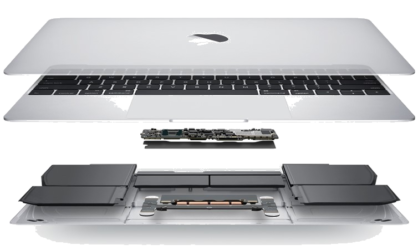
MacBooks need airflow to stay cool. Never leave your laptop on a bed, couch, or pillow. These soft surfaces block the vents. Heat builds up inside and stresses the battery and internal parts. Overheating can actually shorten the life of your device. Always …
Read more