
MLB The Show 26 launched on March 17, 2026, with Aaron Judge on the cover, and its trophy list includes a few quick wins for players who do not want to spend hours grinding. “This Is My Home” is one of them. The task is simple: play a game in a user-created stadium. If you are already planning your roster or managing your MLB 26 stubs, this can be handled in a few minutes and does not depend on your team choice, score, or performance.
Find a Park in The Vault
Start at the main menu and open Create in the upper-right corner. Choose Stadium Creator, then enter The Vault. You will see community parks sorted by popularity and upload date. Most Popular is usually the quickest place to look, while Recent Uploads gives you more variety. Search for a stadium that has already been tested by other players. Costco Headquarters V2 is a common pick because it has very high elevation and extremely short outfield fences. That makes it fun for home runs, though any saved user-made park will work.
| Menu area | What to select | Why it matters |
|---|---|---|
| Create | Stadium Creator | Opens the custom park tools |
| The Vault | Most Popular or Recent Uploads | Helps locate a suitable community park |
| My Stadiums | An open save slot | Makes the park available in exhibition play |
Save It Before Starting the Game
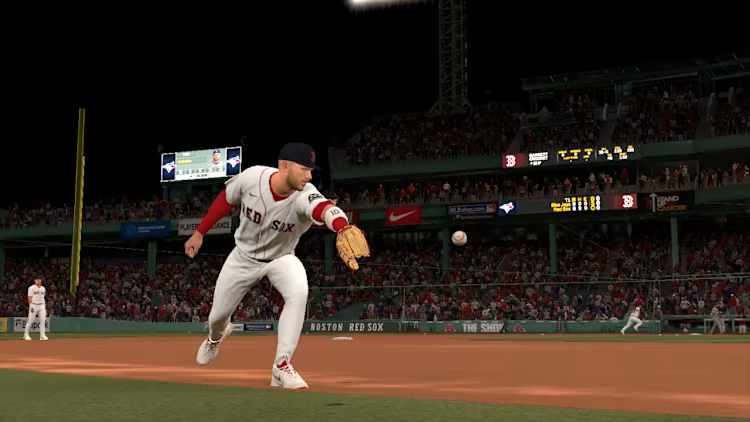
After choosing a park, use the save option and place it in an open My Stadiums slot. This step is easy to miss. Simply viewing a stadium in The Vault does not always make it appear during game setup. Once the save is complete, back out to the home screen. Open Classic exhibition mode, then select any two clubs. A Toronto Blue Jays versus Boston Red Sox matchup works fine, with George Springer facing a Boston lineup that may feature Garrett Crochet on the mound. Rosters, pitchers, and batting orders have no bearing on the trophy.
- Open Classic exhibition mode.
- Pick any two teams.
- Reach the stadium selection screen.
- Switch to Created Stadiums.
- Choose the park saved in My Stadiums.
Let the Opening At-Bat Load
On the venue screen, avoid the standard Major League and Minor League categories. Move across to Created Stadiums and select Costco Headquarters V2, or use another park from your saved list. Start the matchup and wait through the loading screen. You can skip the introductions and pregame scenes if you want. Once the field appears and the first batter steps into the box, “This Is My Home” should unlock. There is no need to swing, throw a pitch, or finish the inning. If nothing happens, leave the game, confirm that the park is saved under My Stadiums, and try the exhibition setup again.
A Fast Trophy for Any Roster
The best part of this method is its flexibility. You do not need a particular player, difficulty setting, scoreline, or winning result. A basic exhibition matchup is enough, so there is no reason to alter your roster or spend time preparing a full game plan. Once the trophy appears, you can return to your preferred modes and use your buy MLB 26 stubs plans for other parts of the game instead.
Andrew736